
监控端 【Dashboard】
2024年11月11日大约 3 分钟
选择需要白嫖的OAuth提供商
nezha支持 github 、 cloudflare 、 gitlab 、 gitee
我选择了赛博菩萨 cloudflare
1. 进入Cloudflare Access
选择Zero Trust
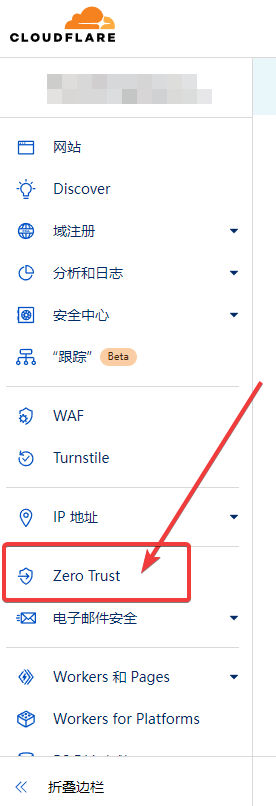
- 进入
Access->Application->Add an Application
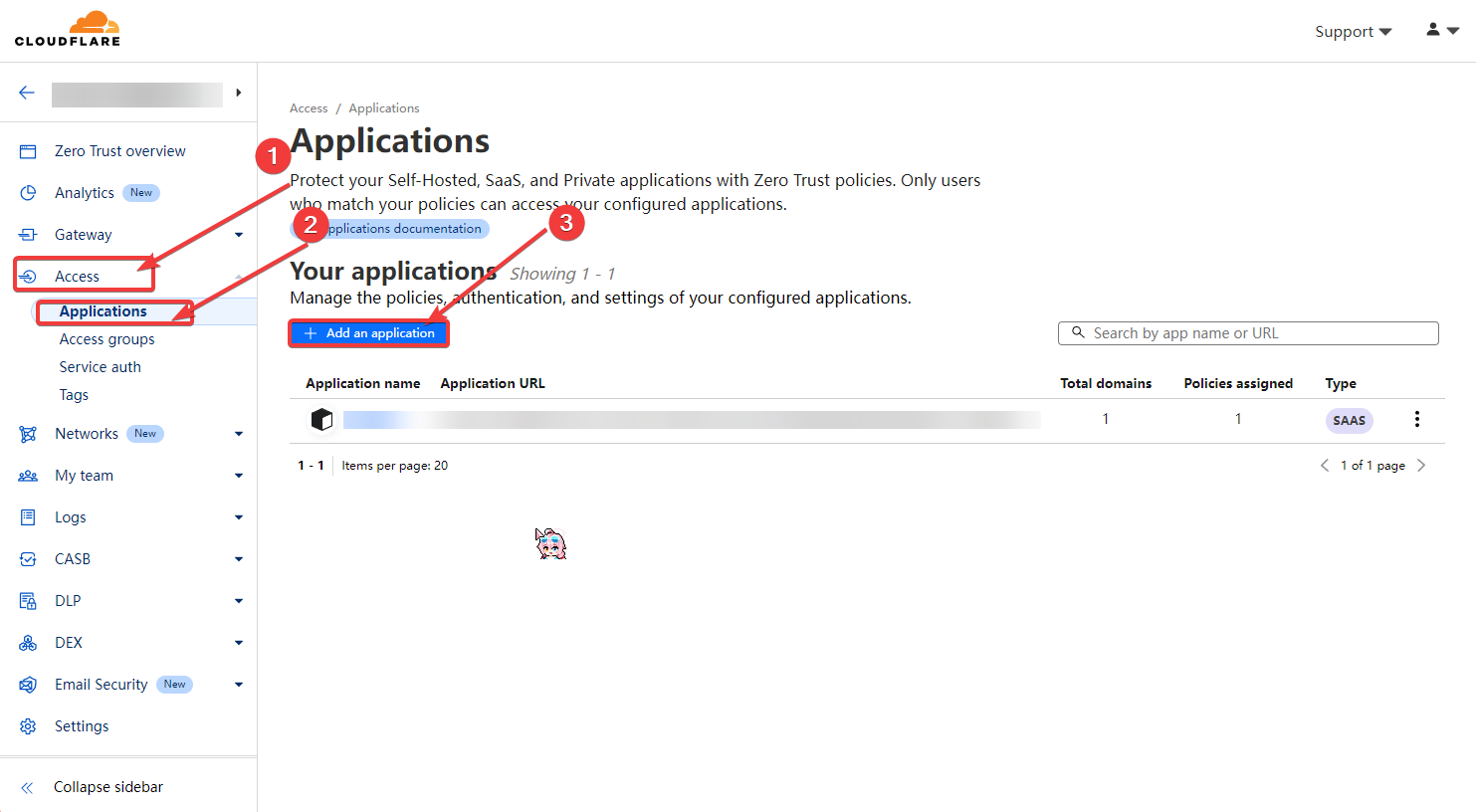
提示
- 如果没有
Add an Application请先绑定支付方式【选择免费即可】 - 若没有信用卡,可选择
PayPal - PayPal绑卡玄学,配合Steam绑定
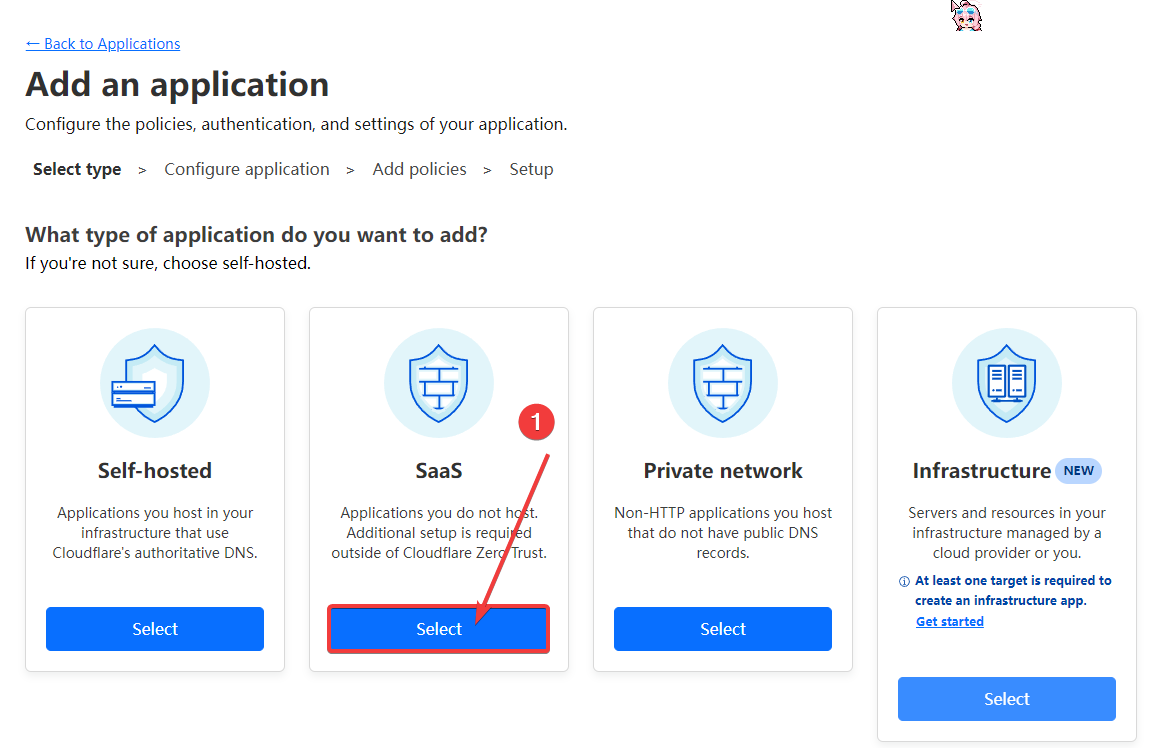
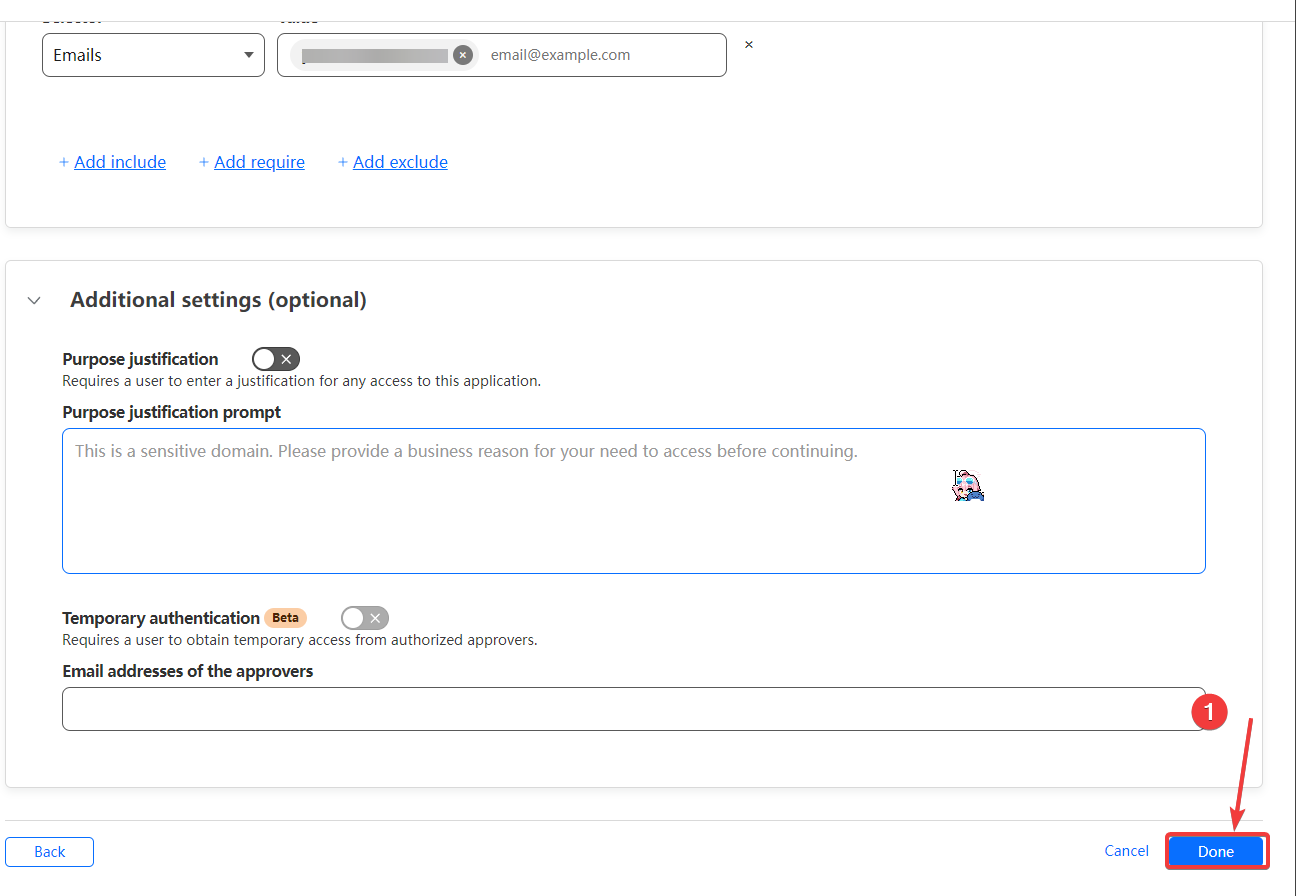
- 选择SaaS
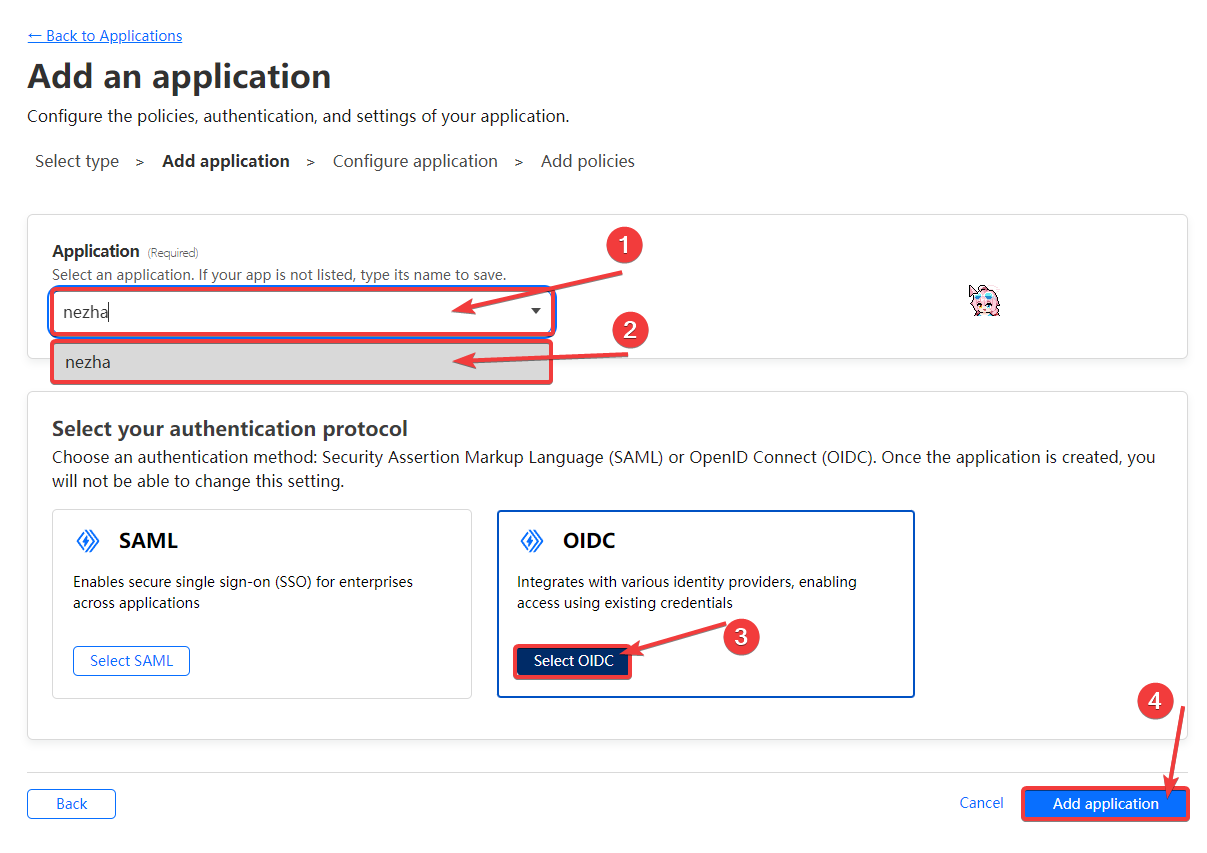
- 在Application输入内容直接点击(2)后选择
OIDC,点击Add application
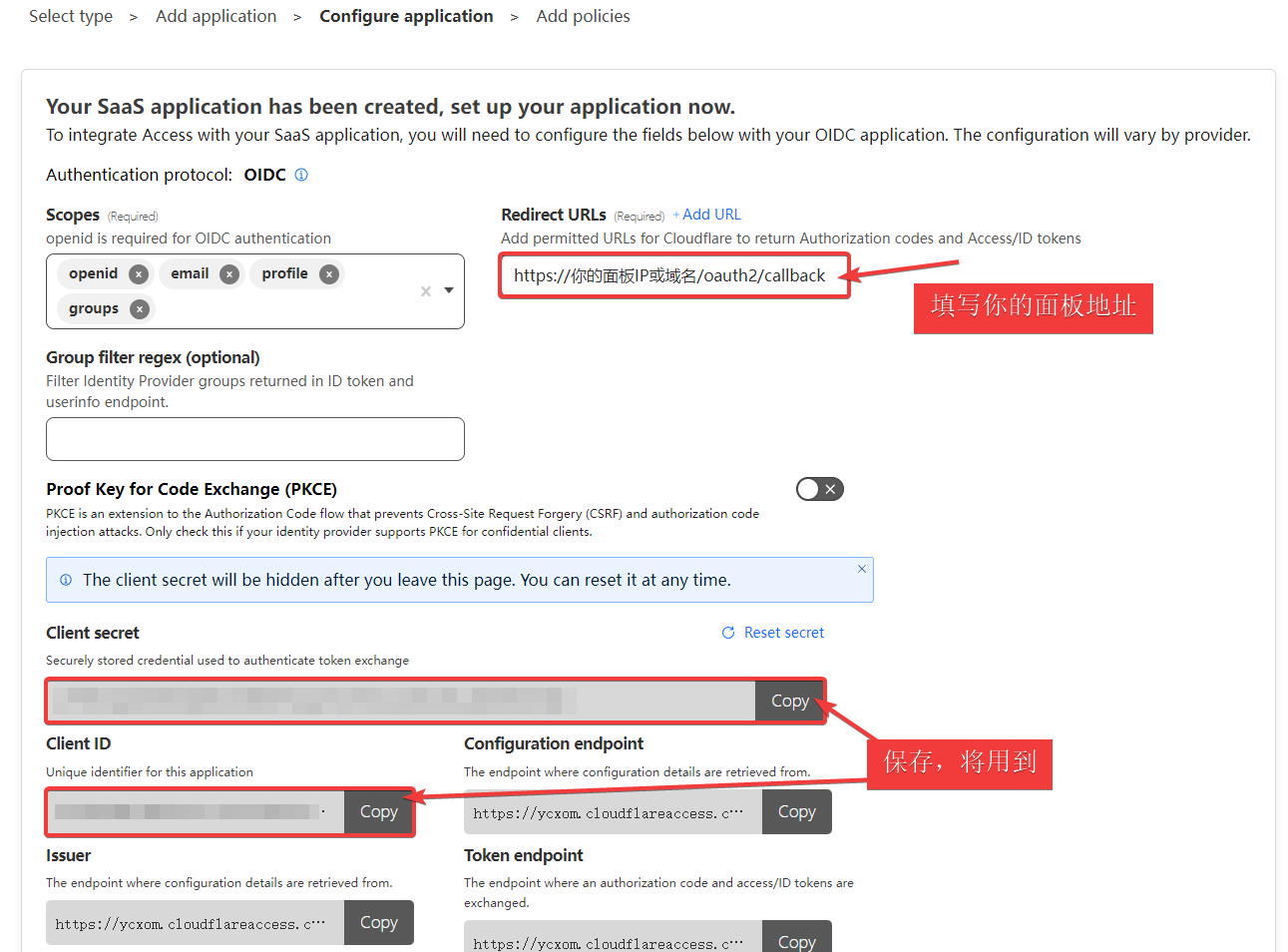
https://你的面板IP或域名/oauth2/callback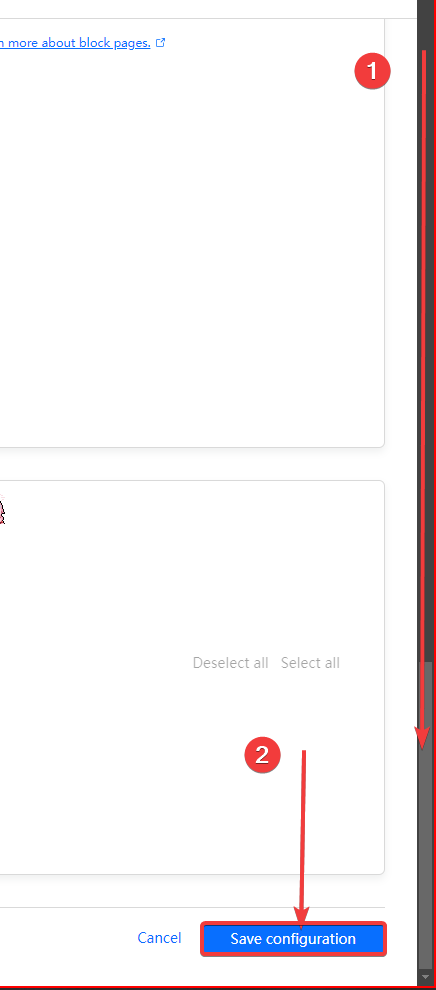
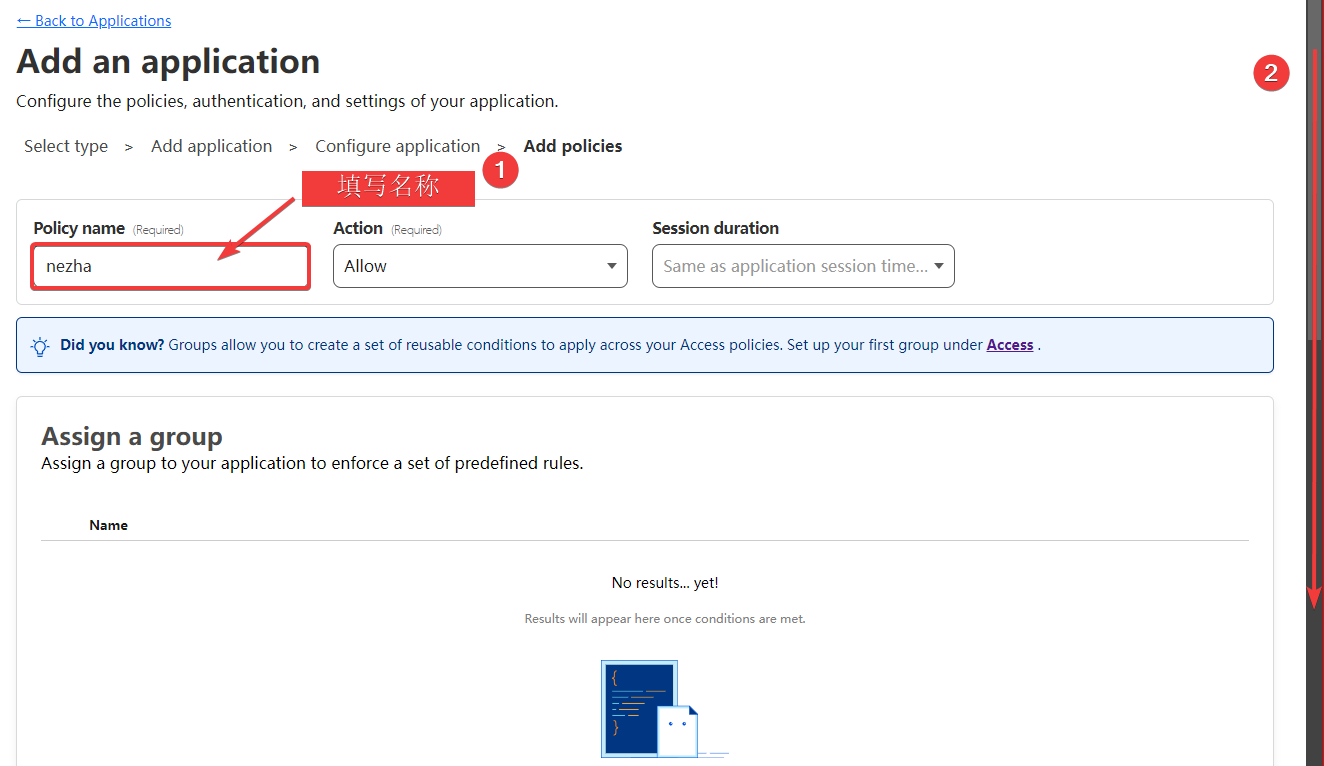
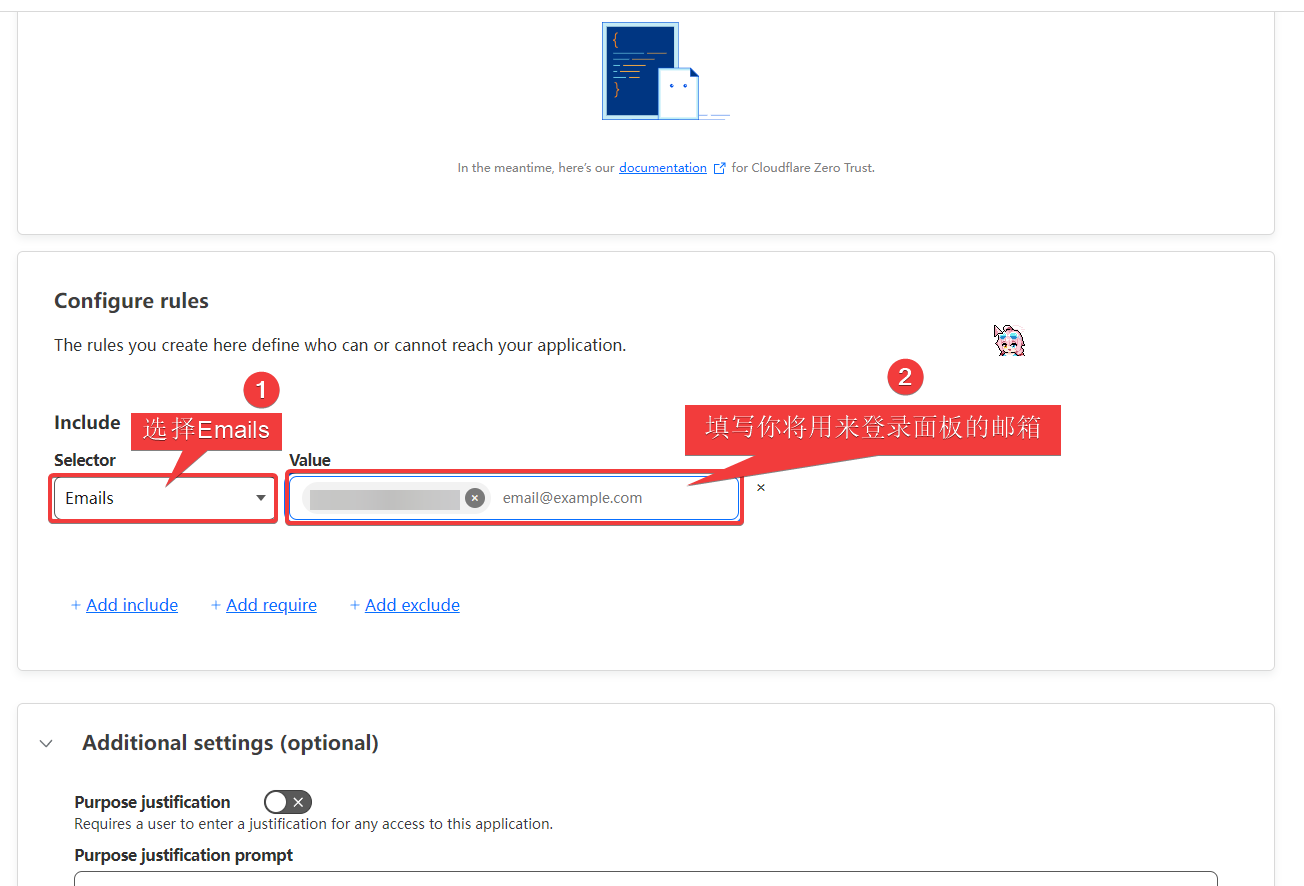
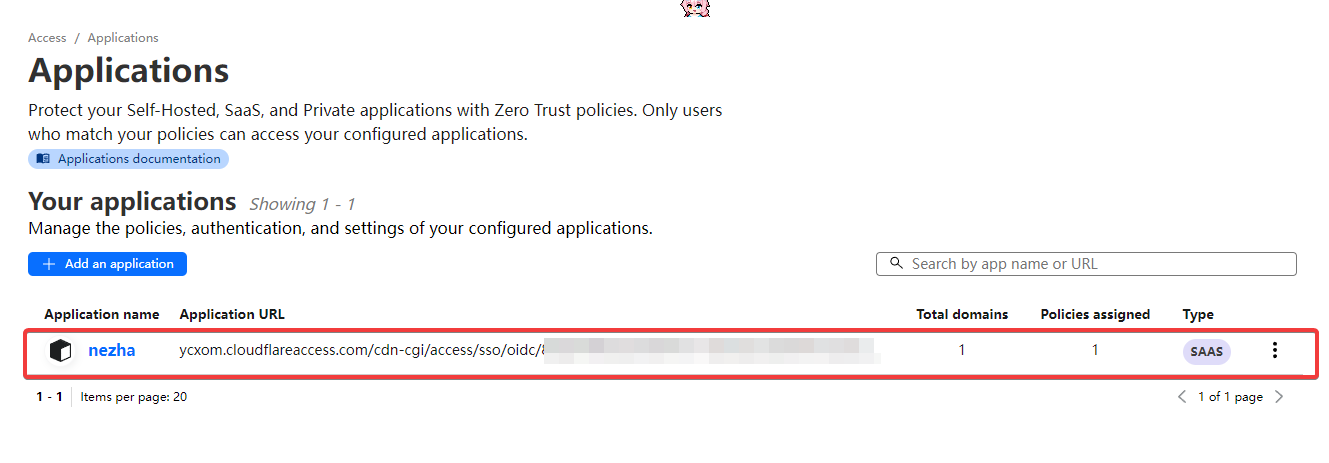
保存 Application URL 部分内容: xxxx.cloudflareaccess.com
2. 安装 Dashboard
2.1 安装Docker
不知道为什么,一键脚本无在非Docker环境下法安装运行 Dashboard
2.2 运行脚本
在面板服务器中,运行安装脚本:
curl -L https://raw.githubusercontent.com/nezhahq/scripts/main/install.sh -o nezha.sh && chmod +x nezha.sh && sudo ./nezha.sh如果你的面板服务器位于中国大陆,可以使用镜像:
curl -L https://gitee.com/naibahq/scripts/raw/main/install.sh -o nezha.sh && chmod +x nezha.sh && sudo CN=true ./nezha.sh选择 1 , 1
2.3 填写OAuth2 提供商 Client ID等
等待脚本下载安装完毕后,分别输入以下值
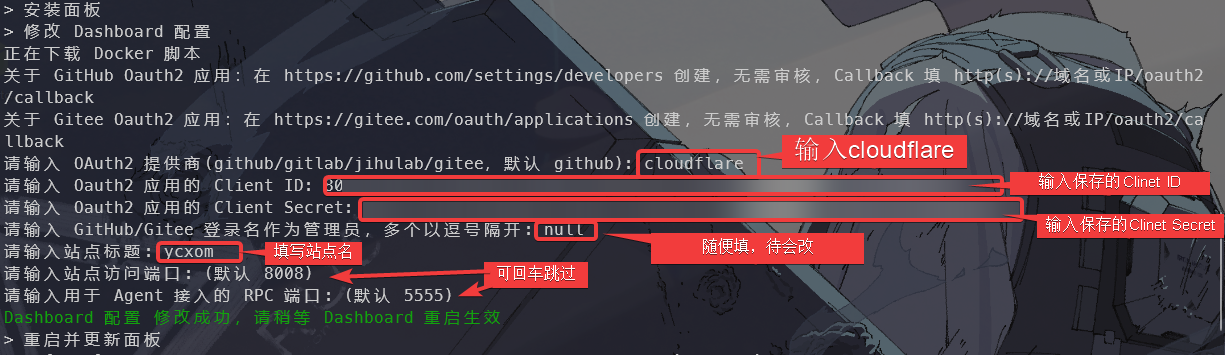
- 若出现如下错误
> 重启并更新面板
WARN[0000] /opt/nezha/dashboard/docker-compose.yaml: the attribute `version` is obsolete, it will be ignored, please remove it to avoid potential confusion
unable to get image 'ghcr.io/naiba/nezha-dashboard': Cannot connect to the Docker daemon at unix:///var/run/docker.sock. Is the docker daemon running?
WARN[0000] /opt/nezha/dashboard/docker-compose.yaml: the attribute `version` is obsolete, it will be ignored, please remove it to avoid potential confusion
Cannot connect to the Docker daemon at unix:///var/run/docker.sock. Is the docker daemon running?
WARN[0000] /opt/nezha/dashboard/docker-compose.yaml: the attribute `version` is obsolete, it will be ignored, please remove it to avoid potential confusion
Cannot connect to the Docker daemon at unix:///var/run/docker.sock. Is the docker daemon running?
重启失败,可能是因为启动时间超过了两秒,请稍后查看日志信息

* 按回车返回主菜单 *
请确保docker已启动
检查 Docker 是否在运行:
sudo systemctl status docker如果 Docker 没有运行,你会看到类似
inactive或failed的状态。启动 Docker 服务: 如果 Docker 没有启动,可以使用以下命令来启动它:
sudo systemctl start docker设置 Docker 开机启动(如果还没有设置):
sudo systemctl enable docker启动后重新执行脚本安装
WARN[0000] /opt/nezha/dashboard/docker-compose.yaml: the attribute `version` is obsolete, it will be ignored, please remove it to avoid potential confusion

#该错误因为较新版本的Docker移除了`version`可忽略该错误
安装完成后的设置
因为没正确设置管理账户,所有登录不可用
设置文件,建议
su使用root账户设置
debug: false
httpport: 80
language: zh-CN
grpcport: 5555
oauth2:
  type: "cloudflare"
  admin: "null" #后期尝试登录后,cloudflare才会生成用户ID
  clientid: "4rxxxxxxxxx"
  clientsecret: "Ju6xxxxxxxxxxxxxx"
  endpoint: "xxxx.cloudflareaccess.com" # 填写这个
site:
  brand: "你的站点名"
  cookiename: "nezha-dashboard"
  theme: "default"
保存后重启容器
./nezha.sh尝试登录,返回你不是管理员即成功
复制User ID
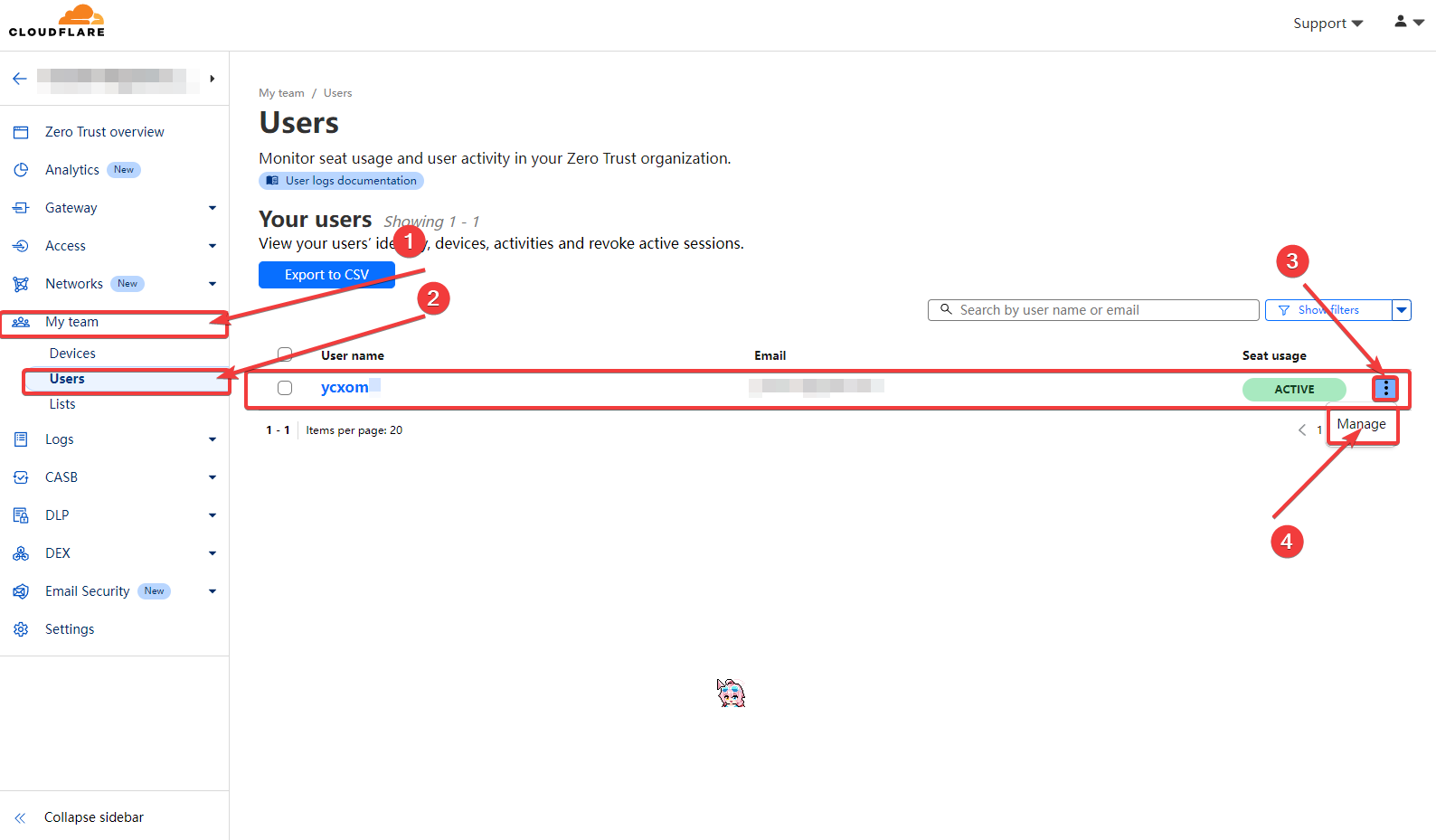
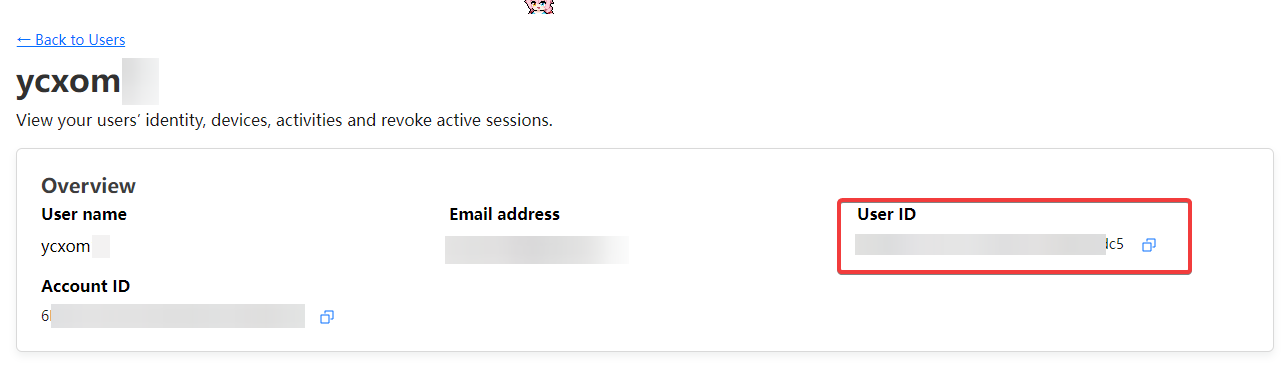
回到/opt/nezha/dashboard/data/config.yaml 文件填写 admin 后重启容器,即可